
- Performance
- SEO
- Website
What Are Core Web Vitals and How to Improve Them
Learn the three Core Web Vitals (LCP, INP, CLS), how to measure them with PageSpeed Insights and Search Console, and practical ways to fix them.
3 min read
Core Web Vitals are a set of metrics defined by Google to measure the real-world experience of people using a web page: how quickly the main content loads, how responsive the page feels when you interact with it, and whether the layout jumps around while you read. They are part of the page experience signals Google uses, so improving them helps both your visitors and your SEO.
The three Core Web Vitals
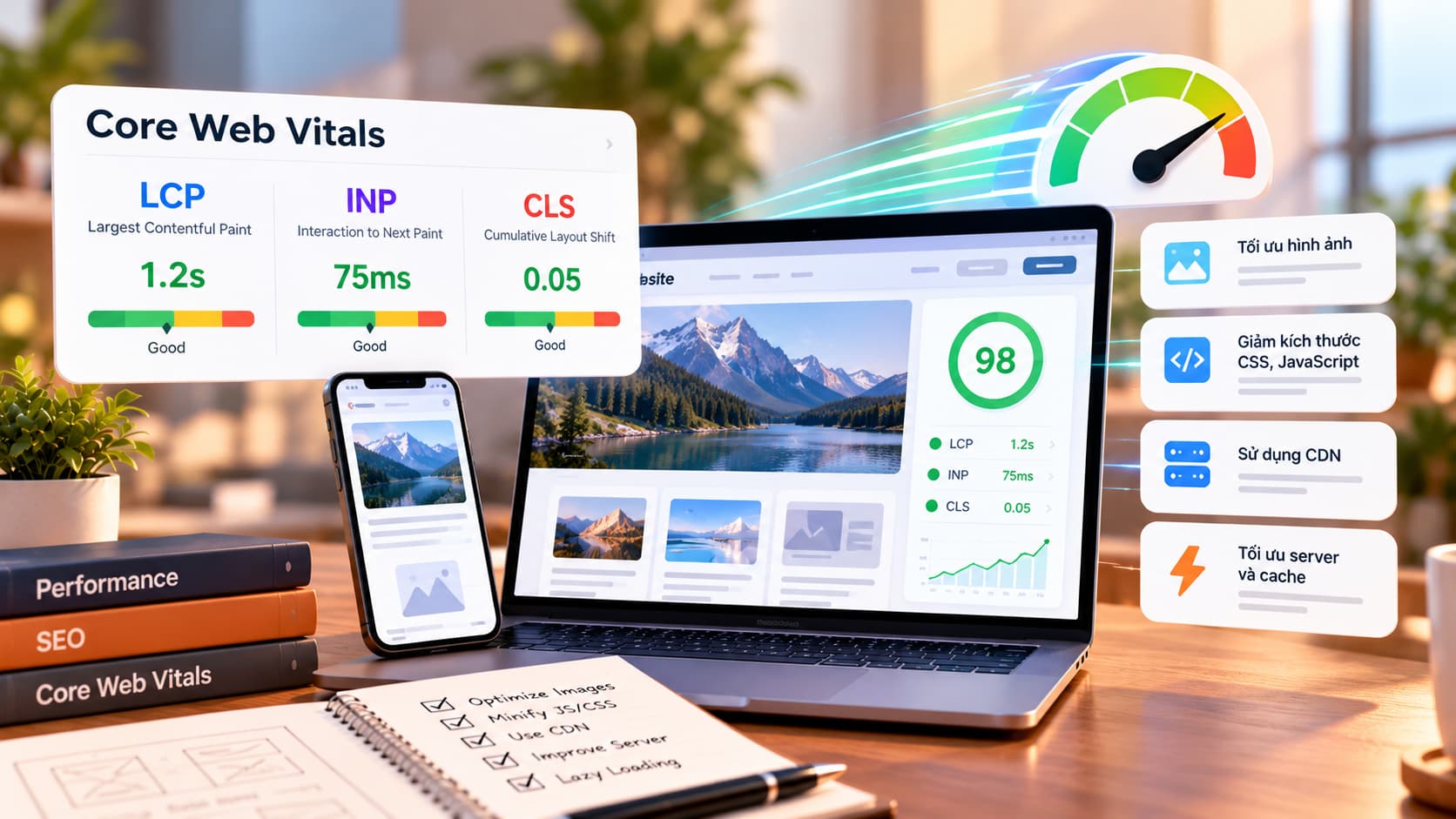
Core Web Vitals currently consist of three metrics. In March 2024, INP (Interaction to Next Paint) officially replaced FID (First Input Delay), because INP reflects responsiveness across the whole visit rather than only the first interaction.
| Metric | What it measures | "Good" threshold |
|---|---|---|
| LCP (Largest Contentful Paint) | When the largest content element (often a hero image or heading) is rendered | ≤ 2.5 seconds |
| INP (Interaction to Next Paint) | Delay between a click, tap or key press and the next visual update | ≤ 200 milliseconds |
| CLS (Cumulative Layout Shift) | How much the layout shifts unexpectedly | ≤ 0.1 |
Google recommends assessing these at the 75th percentile of real page loads, segmented by mobile and desktop. In other words, at least 75% of visits should hit the "good" threshold. The official definitions are available on web.dev.
How to measure Core Web Vitals
There are two kinds of data to keep apart:
- Field data: collected from real Chrome users (the CrUX report). This is what Google uses for its assessment.
- Lab data: a simulated page load under fixed conditions, useful for debugging and for checking changes before release.
Common tools:
- PageSpeed Insights: enter a URL to see field data (when the page has enough traffic) and a Lighthouse audit with concrete suggestions.
- Google Search Console: the "Core Web Vitals" report groups URLs with similar issues so you know which templates to fix first.
- Chrome DevTools: the Performance panel records loading and interactions, helping you spot long JavaScript tasks or elements that cause layout shifts.
Keep in mind that a high Lighthouse score does not guarantee good field data, because real users have very different devices and networks. Always re-check field data after a fix.
How to improve each metric
Improving LCP
- Optimize images: use modern formats such as WebP or AVIF, size them for their display slot and compress them.
- Prioritize the main image: do not lazy-load the hero image, and consider fetchpriority="high".
- Reduce server response time with caching, a CDN and efficient database queries.
- Minimize render-blocking CSS and JavaScript; load fonts sensibly with font-display: swap.
Improving INP
- Break up long JavaScript tasks so the browser can respond to user input.
- Ship less JavaScript: remove unused libraries and split code per page.
- Audit third-party scripts (chat widgets, ads, trackers), which often occupy the main thread.
- Avoid large DOM updates on every interaction.
Improving CLS
- Always set width and height (or an aspect ratio) on images, videos and iframes.
- Reserve space for banners, ads and late-loading content.
- Do not insert content above what the user is reading unless it responds to their action.
- Prefer transform-based animations over changing size or position.
Quick checklist
- ✅ Review the Core Web Vitals report in Search Console
- ✅ Run PageSpeed Insights on your most important pages
- ✅ Optimize the hero image and disable lazy-loading for it
- ✅ Audit and trim third-party scripts
- ✅ Set dimensions on every image and embed
- ✅ Track field data again after each change
Conclusion
Core Web Vitals are not a race for a perfect score; they measure whether real users have a good experience on your site. Measure with field data, tackle each metric in order of impact and verify after every change. If you would like your website's performance reviewed or optimized, get in touch with us.